Projector and screen hire
For conferences, general meetings and corporate events, you can hire a projector and screen from Event-Solution AG, matched to the room and the audience. We plan, deliver, set up and look after everything in Bern, Biel/Bienne and throughout Switzerland.

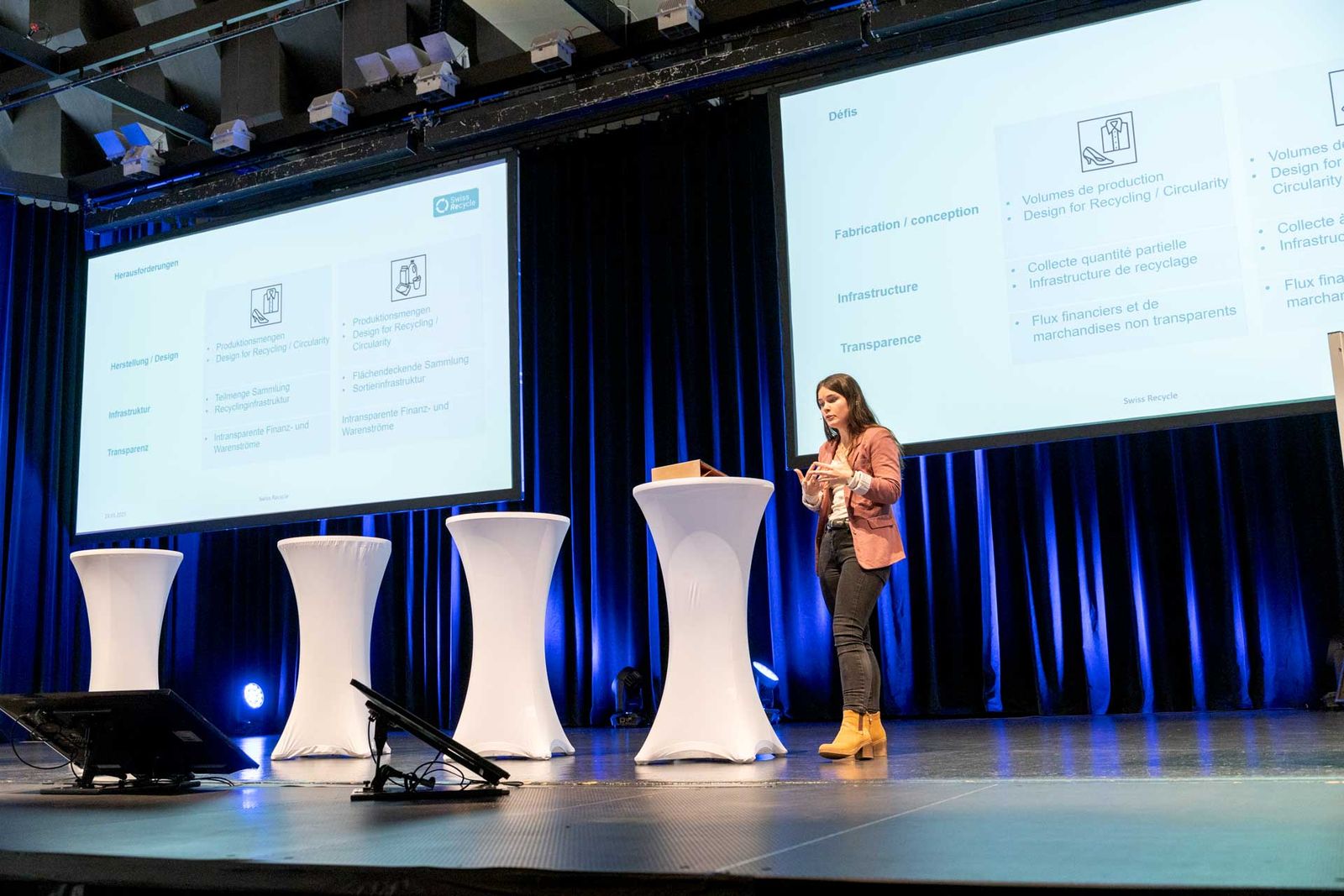
Projector or LED wall?
Projection is most effective when the light in the room can be controlled. A first assessment:
| Your situation | Our recommendation |
|---|---|
| Hall with curtains or without windows, dimmable lighting | Projector and screen |
| Several halls or breakout rooms, each with its own presentation | Projector and screen in each room |
| Small image for a meeting room | Projector and screen, or a display |
| Daylight and large windows without blackout | LED wall |
| Very bright stage lighting for camera and livestream | LED wall preferred |
| Very large image as a backdrop for the whole stage | LED wall preferred |
Which screen size suits the room?
The most important factor is the distance from the screen to the back row. A common rule of thumb in audiovisual technology: the back row sits no further away than about six times the height of the image. If you show tables or small figures, work with about four times. By this rule, an image 2 m high is enough for a back row about 12 m away.
There are also three practical points:
- Bottom edge high enough. The image must start above the heads of the front rows, otherwise the back rows miss the lower part of the slide.
- Ceiling height. It limits how tall the image can be. In low, long rooms, two screens to the left and right of the stage are often better than one large one.
- Format. Most presentations today are made in 16:9. The screen should match, so that no black bars waste space.
For planning, all we need are the room dimensions, the seating layout and the position of the stage. From these, we determine the size and position of the screen.
Front or rear projection
With front projection, the projector stands or hangs in front of the screen in the hall. It needs little space and is quick to set up. The downside: anyone walking between projector and screen casts a shadow on the image, and the device is visible in the room.
With rear projection, the projector stands behind a special translucent screen. The audience sees no equipment and no cables. Speakers can stand directly in front of the screen without casting a shadow. It does, however, need free space behind the screen, more or less depending on the projector’s lens.
If the lectern stands right next to the image, rear projection is often the neater solution. If there is no space behind the stage, front projection with a projector hung high is a good alternative.
Brightness and room lighting
A projected image is only as strong as the room lighting allows. Any light falling on the screen turns black into grey and makes colours pale. That is why we always plan the projection together with the lighting in the hall:
- Check the windows: are there curtains or blinds that can be closed?
- Dim the hall lighting in front of the screen, and leave the back of the room bright enough for taking notes.
- Aim the stage lighting so that it hits the speakers but not the screen.
A projector’s brightness is given in lumens. The larger the image and the brighter the room, the more lumens you need, because the light is spread over a larger area. We choose the device to suit the screen and the room. You do not need to compare technical specifications.
Running the presentations
The tricky moments at conferences are often the changeovers between talks: the wrong laptop, a missing adapter, a video without sound. That is why we recommend a central control desk:
- All presentations are loaded onto one computer before the event and tested there.
- Speakers advance their own slides with a remote control.
- Videos with sound play through the sound system in the hall.
- Between talks, the screen shows a title slide or a break slide, never a desktop.
Speakers can still use their own laptops, as long as they are tested before the start. If the event is also to run online, or speakers join remotely, we link the projection with camera and livestream.
Monitors for speakers
Anyone speaking on stage should not have to turn round to the screen. For this, we place preview monitors in front of the stage or at the lectern. They show the current slide and, on request, the next slide or notes. A countdown timer can run alongside, so speaking time stays in view. How this all works together at a full congress is described on the Congress technology page.
Projector and screen hire with support
With a technician, we take care of everything: planning, delivery, setup, preparing the presentations, support during the event and dismantling. You have a single point of contact. We recommend this for conferences with several talks, for events across several halls, and wherever microphones, cameras or a livestream are also involved.
A meeting, a workshop or a single talk often needs less. Tell us what is planned and we will discuss the right scope. Technology companies and industry partners hire equipment without staff through our sister site dryhire-solution.ch.
Projects with projection
- 2026 graduation ceremony at the Emil Frey Classic Center, Safenwil: dual projection on a wide screen, plus ambient lighting, microphones and simultaneous interpretation. View project
- Recycling Congress at the Kongresshaus Biel (2025): image projection, plus simultaneous interpretation, microphones and sound reinforcement, livestream and remote speakers. View project
- Event across several halls at the Bellevue Palace Bern (2025): projectors and screens in several rooms, plus cameras, livestream, microphones and a DJ for the afterparty. View project
If you would like to hire a projector and screen in Bern or elsewhere in Switzerland, send us the room dimensions, number of guests and programme via the enquiry form. You will receive a free quote with no obligation.